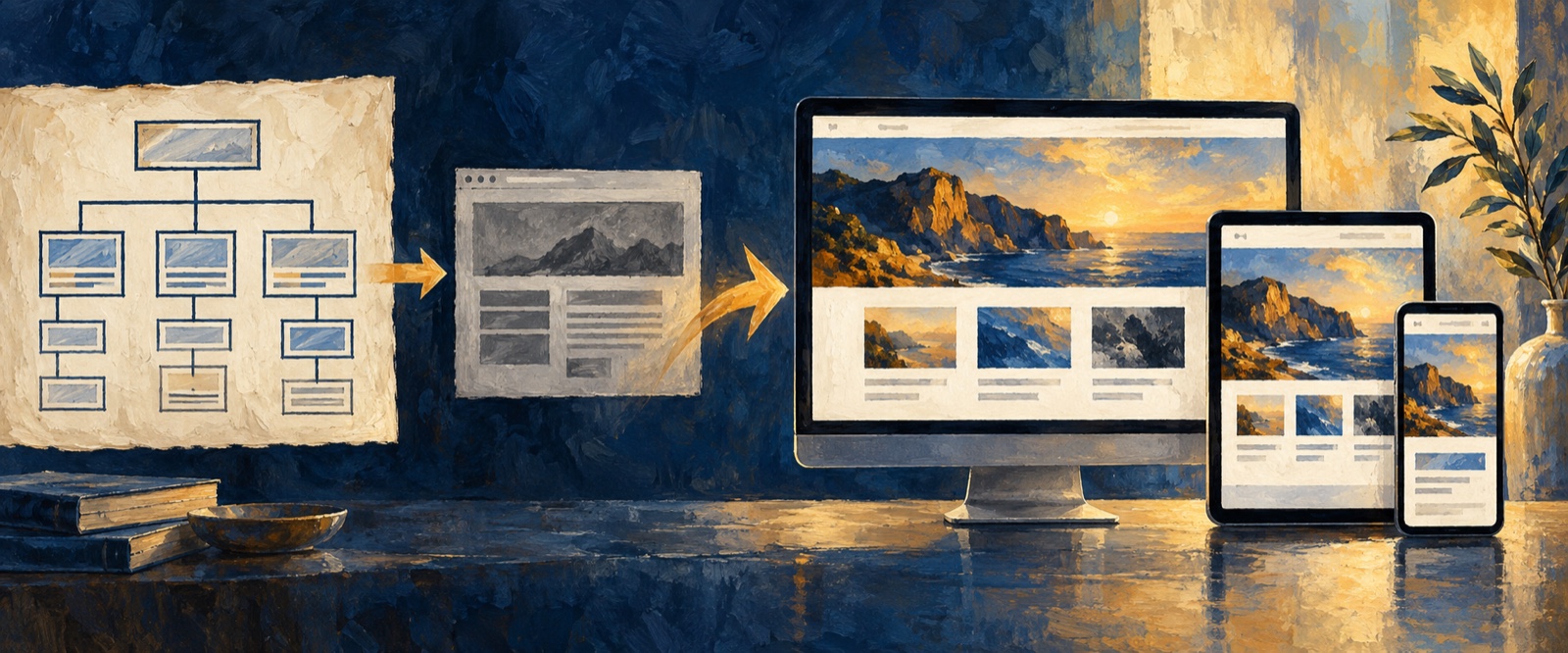
Quick answer: An AI website design generator turns a product brief, brand constraints, content, and references into a proposed website structure and visual direction. It is most valuable when it helps teams design or redesign a responsive website around a real audience and conversion goal—not when it only produces a decorative mockup.
An AI website design generator should do more than create an attractive first screen. The useful outcome is a website direction that connects the audience, message, page structure, visual system, conversion goal, and review process.
That distinction matters for both new websites and redesigns. A generated page may look polished and still fail if visitors cannot tell who the product is for, why it is credible, or what to do next. The best workflow uses AI to make those decisions clearer before the team invests in implementation.
What is an AI website design generator?
An AI website design generator turns a written brief, product context, references, and brand constraints into a proposed website structure and visual direction. Unlike a basic template selector, it can help teams explore hierarchy, messaging, layouts, and responsive page states around a specific business goal.
The input still determines the quality of the result. “Create a modern SaaS website” gives the system little to reason about. A useful brief identifies the audience, problem, offer, evidence, conversion action, required sections, and visual boundaries.
Decide whether you are creating or redesigning
For a new website, start with four decisions:
- Who is the primary visitor?
- What problem should they immediately recognize?
- What proof makes the offer credible?
- What action should they take next?
For an AI website redesign, bring the existing URL or screenshots together with evidence about what is not working. That evidence might include unclear messaging, weak conversion paths, outdated visual direction, missing mobile behavior, or sections that no longer reflect the product.
The goal is not to replace everything. Preserve useful brand equity and proven content while improving the hierarchy, visual system, and path to action.
See the website workflow in an interactive study
The AI Website Design interactive study lets you inspect a commercial solar website concept across service, project, and contact views. It shows how a brief becomes a connected, responsive design direction and where a team should review the evidence and inquiry path.
The SOLSTICE example is fictional and is not a live customer website or working lead form. Use it to evaluate the design workflow and product boundary before starting your own website task in OJO.
Build the message before the visual system
Before requesting a style, define the product story. A practical product website usually needs to answer:
- What is the product or service?
- Who is it for?
- What outcome does it create?
- How does it work?
- What evidence supports the claim?
- What objections must the page resolve?
- What should the visitor do next?
Ask the AI website design generator to propose the information architecture before generating the final visual direction. This makes review more objective: the team can discuss whether the story is complete rather than arguing only about taste.
Redesign a website for a collaborative product research tool.

The primary visitor is a product lead at a small software company.
The website must explain how the product turns research into decisions,
show evidence from real teams, and encourage a demo request.

First propose the page hierarchy and the purpose of each section.
Then create a responsive visual direction that feels editorial,
credible, and product-led rather than generic or overly promotional.
Turn one brief into a complete website system
A useful first pass should include more than a hero section. Ask for the homepage structure, navigation, reusable sections, content rules, responsive behavior, and important states. If the page contains a product demo, form, pricing block, or comparison table, specify how those elements should work on mobile as well as desktop.
References can guide typography, pacing, density, motion, or image treatment, but they should not become a copying instruction. Explain what to learn from each reference and what must remain original.
How to review an AI-generated website design
Review the result as a visitor, not only as a designer:
- Can a new visitor identify the audience and value in the first screen?
- Does the hierarchy guide the visitor from problem to solution to proof?
- Are claims connected to product evidence?
- Is the primary action visible without overwhelming every section?
- Does the mobile version preserve the same story and priority?
- Are layout, type, color, imagery, and motion part of one system?
- Can the design be edited and handed to engineering without starting again?
When the answer is no, revise the brief or hierarchy before asking for more visual decoration.
AI website design generator vs. AI website builder
The terms overlap, but the jobs can differ. An AI website builder typically emphasizes publishing a functioning website quickly. An AI website design generator emphasizes product messaging, page structure, visual direction, and prototype review before implementation.
OJO is most useful when the design decision still matters: a product team is defining a new website, testing a repositioning, redesigning an existing experience, or connecting the marketing story to the product UI. Once the direction is validated, the team can continue into a design-to-code workflow or use a dedicated publishing system.
From website idea to reviewable prototype
A repeatable workflow is:
- Define the visitor, business goal, conversion action, and constraints.
- Organize the message and page hierarchy.
- Generate a visual system and responsive page direction.
- Review the result against the product story.
- Refine copy, hierarchy, interactions, and proof.
- Validate the prototype before implementation.
For a detailed specification-driven workflow, continue with Build a Website with AI. If the task is a product interface rather than a marketing website, use the Prompt-to-UI guide.
Frequently asked questions about AI website design generators
Can AI design a complete website?
AI can propose website messaging, information architecture, layouts, visual systems, responsive directions, and interactive prototypes. Publishing a reliable production website still requires accurate content, accessibility checks, performance work, analytics, security, legal review where relevant, and engineering validation.
What is the difference between an AI website layout generator and an AI website builder?
An AI website layout generator focuses on structure and visual direction. An AI website builder usually adds implementation and publishing. OJO focuses on the product and design decisions that make the website coherent, editable, and ready for review before implementation.
What makes a good AI website design prompt?
A good AI website design prompt defines the audience, offer, conversion action, required sections, proof, visual constraints, responsive requirements, and what must not change. It asks the system to expose assumptions before generating the final direction.
Put this website workflow into practice
OJO helps a team turn the audience, message, conversion goal, references, and visual constraints into an editable website direction on one Canvas. The business value is earlier alignment on what the page should communicate and convert before time is committed to implementation. Open OJO and create a reviewable website direction from your current brief.
OJO
Turn your next idea into a working product
Build research-backed UI, landing pages, and interactive prototypes with an OJO Agent Team.