A polished interface can make an unfinished product idea look more complete than it really is.
Before generating screens, there’s a more important question: What should users actually be able to accomplish?
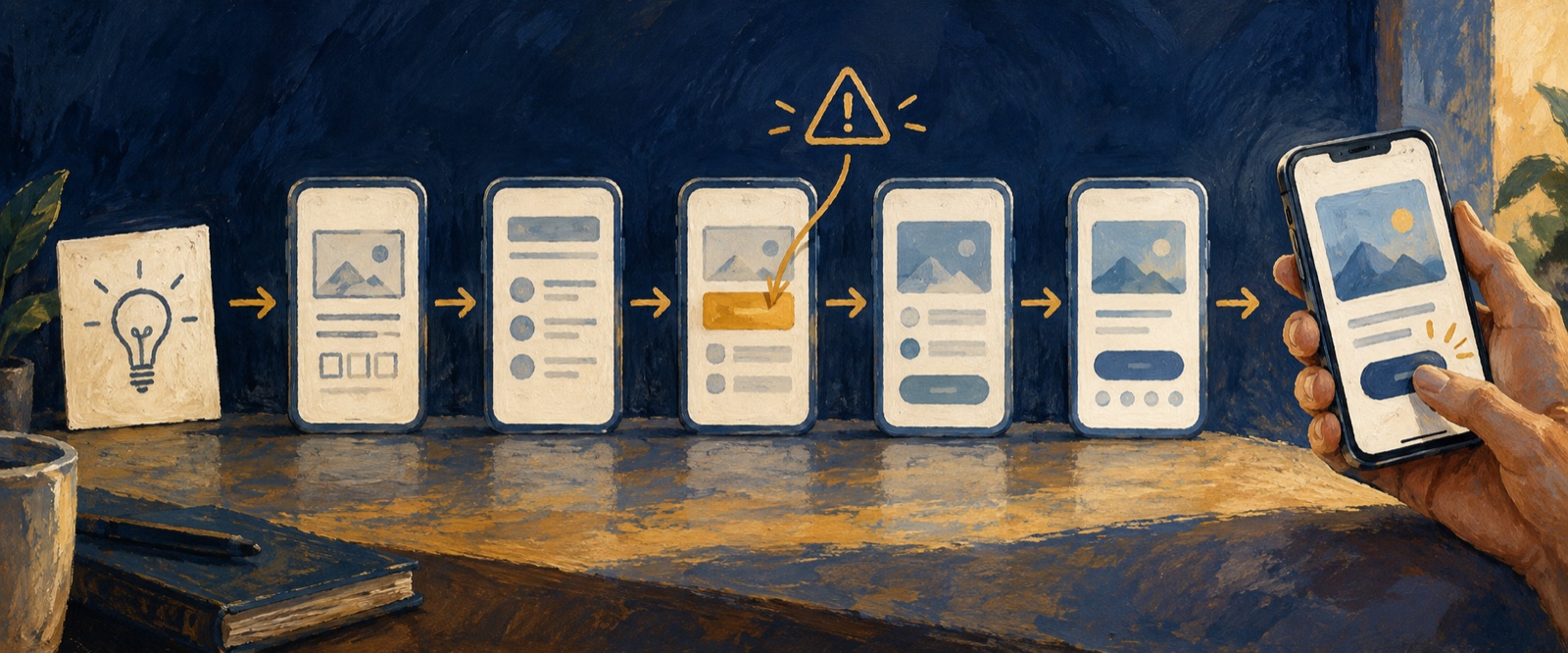
An AI prototype workflow helps turn that question into a product brief, a focused user journey, and an interactive experience that can be reviewed and refined.
With OJO, you can choose an Agent Team, add specialized design Skills, generate a prototype, and improve it through feedback on an editable Canvas.
What should an AI product concept generator produce?
An AI product concept generator should turn a rough idea into a reviewable set of product decisions, not just a name, image, or feature list. For a digital product, the useful output includes a defined user and problem, a focused scope, the core journey, a screen map, an editable UI direction, a testable prototype, and the assumptions that still need validation.
OJO focuses on digital product experiences. It can help structure the brief and carry approved decisions into an editable multi-screen interface and interactive prototype. It does not replace physical-product engineering, CAD, manufacturing analysis, or production validation.
Let’s explore the process through Weekend Buddy, a fictional mobile app for discovering and joining local activities.
About this example: Weekend Buddy is an illustrative design exercise, not a customer case study or a deployed product. The prompts, proposed screens, and review criteria below demonstrate how the workflow can be applied. They do not represent a completed or user-tested OJO project.
1. Start With the User Journey
Imagine an app that helps people discover nearby hikes, sports events, exhibitions, and creative workshops.
The concept sounds straightforward. But consider someone who’s interested in joining a weekend hike.
Before registering, they’ll probably want to know who’s organizing it, when and where it takes place, how much it costs, and whether spots are still available.
These questions point to one essential journey:
Discover an activity → Review the details → Register to join.
They also expose decisions that need attention. How should organizer information be presented? What happens when an event is full or canceled?
Rather than generating UI immediately, we can use OJO to help clarify the requirements and identify what’s still uncertain.
Example Prompt: Clarify the Product
“I’m exploring a mobile app called Weekend Buddy.
It helps people aged 22–35 discover local hikes, sports, exhibitions, and creative workshops, then register to join.
Help me define the primary user, core problem, essential features, and main user journey.
Focus on discovering an activity, reviewing its details, and completing registration.
Identify assumptions about organizer trust, availability, pricing, and cancellations. Keep the first version focused, without chat, ratings, or social feeds.”
The aim is to establish a useful product brief before committing to a particular interface.
2. Define What the First Prototype Needs
A common mistake is adding features before the core experience has been worked out.
For Weekend Buddy, messaging, recommendations, social feeds, and gamification could all become future ideas. None is essential to examining the initial registration journey.
A focused prototype should help answer three questions:
- Discovery: Can someone find an activity that interests them?
- Decision: Can they find the information needed before joining?
- Registration: Is the next action clear, and can they follow it?
For this illustrative concept, one possible six-screen structure is:
| Screen | Purpose |
|---|---|
| Home | Discover nearby activities and browse categories |
| Category | Explore activities by interest |
| Activity Details | Review the organizer, date, location, cost, and availability |
| Registration Confirmation | Review participation details and confirm registration |
| Publish an Activity | Provide essential information for organizing an activity |
| Profile | View registrations and published activities |
The first four screens support the primary journey. The final two extend the concept to basic organizer and account needs.
Six screens are a proposed design structure for Weekend Buddy, not an OJO requirement. A smaller prototype may be enough if the goal is simply to examine the discovery-to-registration flow.
What’s important is agreeing on the scope before refining the UI.
3. Turn the Brief Into a Prototype with OJO
Once the product direction is clear, the next step is to explore the design.
In OJO, you can choose a preconfigured Agent Team or assemble your own. Describe the product goal, audience, and constraints, then add relevant Skills as needed.
Different Skills can support requirements analysis, page structure, UI design, and visual refinement. They can be adjusted as the project develops; there’s no need to add every available Skill at the beginning.
OJO also supports different working modes, depending on whether you want to discuss the requirements in depth or proceed with a more clearly specified task.
For Weekend Buddy, we could use the agreed brief to guide an initial mobile prototype.
Example Prompt: Generate the Prototype
“Using the agreed Weekend Buddy brief, create a mobile prototype focused on the journey from discovering an activity to completing registration.
Make the organizer, date, location, price, availability, and registration action easy to find.
Use consistent navigation, typography, spacing, and interaction patterns.
Keep the scope aligned with the brief. Do not add chat, ratings, or social feeds.
Flag any missing product rules or assumptions rather than inventing them.”
The prompt gives the Agent a clear objective and defines what should remain outside the initial scope.
It also provides a reference for evaluating the design once it’s generated.
4. Review and Refine on the Canvas
The first generated prototype is a starting point for review, not the final result.
In OJO, you can use Preview to inspect the generated experience. On the editable Canvas, you can select specific elements, make local edits, or add comments and annotations for the Agent to address.
For Weekend Buddy, we’d want to check whether users can find relevant activities, understand event information, and follow the intended registration path.
We’d also review whether the prototype introduces features that were deliberately excluded.
Example Prompt: Refine the Design
“Review the Weekend Buddy prototype against the agreed brief.
Make the activity price and availability easier to scan. Keep the registration action prominent and reduce secondary information that distracts from the main journey.
Maintain consistent navigation, spacing, and interaction patterns. Preserve the agreed MVP scope.”
Specific feedback is more useful than simply asking the Agent to “make it better.”
It gives the next revision a clear purpose and helps keep design changes aligned with the original requirements.
5. What Should the Prototype Help You Evaluate?
An interactive prototype doesn’t need to behave like a complete production application to be useful.
For Weekend Buddy, it should help a team examine questions such as:
- Is the main user journey understandable?
- Is essential activity information easy to find?
- Is the registration action clear?
- Are important states and unanswered assumptions visible?
- Are the interface and interactions consistent?
A prototype can make these questions easier to discuss. It does not, by itself, prove that real users can complete the journey successfully. That requires appropriate testing and validation.
Once a design has been reviewed, OJO supports exporting the result in formats including HTML, PNG, and PDF.
If the project later moves into development, OJO CLI can also connect project assets with supported coding tools such as Claude Code, Codex, and Cursor.
CLI is an optional development handoff, not a requirement for generating or refining prototypes. Any resulting implementation still requires engineering review.
Frequently Asked Questions
Can AI turn a product idea into an interactive prototype?
Yes. AI design tools such as OJO can help organize requirements, generate UI and interactive prototypes, and support iterative refinement. Clear goals, constraints, and review criteria remain important.
Do I need a complete PRD before using OJO?
No. You can begin with an early idea and work with an Agent to clarify requirements and page structure. If your brief is already well defined, you can proceed more directly with prototype generation.
Can I edit an OJO-generated prototype?
Yes. You can preview the generated experience and use OJO’s editable Canvas to select elements, make changes, or provide comments and annotations for the Agent.
Do I need OJO CLI to create an interactive prototype?
No. CLI is an optional way to connect OJO assets to external coding workflows when you want to continue into development.
Start With One Journey Worth Testing
The Weekend Buddy example illustrates a practical approach to early product design: clarify the problem, decide what matters, build around a focused user journey, and review the result before committing to further development.
OJO brings Agent Teams, specialized Skills, and an editable Canvas into that process, helping you move from product thinking to design exploration and refinement.
Have an idea you’ve been meaning to build? Start with the one thing your users need to accomplish.
Give that journey a clear structure. Explore how the interface could work. Then refine what matters.
For a broader introduction to the workspace, see What Is an AI Design Agent Team Workspace?. For product operations, see How to Use OJO.
OJO
Turn your next idea into a working product
Build research-backed UI, landing pages, and interactive prototypes with an OJO Agent Team.