Quick answer: Prompt to UI turns a written product requirement into an editable interface system. A useful UI design prompt defines the user, task, success condition, information hierarchy, actions, reusable components, and important states instead of asking an AI UI generator for a style alone.
Prompt to UI is the process of turning a written product requirement into a structured interface that can be reviewed and edited. The best results do not begin with visual adjectives. They begin with a user, task, success condition, information hierarchy, and the states that make the workflow credible.
This is what separates a useful AI UI generator workflow from one-shot image generation.
What should a UI design prompt include?
A strong prompt identifies:
- the user and their level of knowledge;
- the job they need to complete;
- the moment in the workflow;
- information required to make a decision;
- primary and secondary actions;
- important states and permissions;
- device and responsive constraints;
- visual direction and patterns to avoid.
The input does not need to be a finished specification. It should make the product decision behind the screen clear.
Start with a product brief
For example, “create a modern dashboard” describes appearance but not purpose. A more useful prompt is:
Create a desktop workspace for a product manager reviewing customer feedback.

The user needs to identify recurring problems, compare supporting evidence,
and turn one insight into a prioritized feature brief.

Show the most important signals first, make the next action clear,
and include loading, empty, selected, and error states.
Use a calm editorial direction rather than a generic analytics dashboard.
This prompt gives the AI interface generator a real task, decision, and quality bar.
How do you turn a PRD into UI?
Turn a PRD into UI by extracting the user, task, outcome, business rules, data, permissions, and open assumptions. Map those requirements to a page hierarchy and low-fidelity wireframe first; then add editable components and key states; finally connect the states into a prototype that can be reviewed against the original requirement.
- PRD: agree on the problem, scope, success condition, and rules.
- Wireframe: organize pages, information, actions, and responsive priorities.
- UI: apply editable components, content, visual hierarchy, and feedback.
- Prototype: connect the states needed to expose risk, uncertainty, or an important decision.
The result is not automatically production-ready. Review missing data, edge cases, permissions, accessibility, and technical feasibility before implementation. Continue with the AI Wireframe Generator for structure or the AI Prototype Generator when the main question depends on interaction across states.
See an OJO-made interface result
The sample prompt above is illustrative; it is not presented as the original brief for a customer project. For a real interface made in OJO, explore HiKeys 1977, an interactive desktop music player that makes the selected album, playback state, progress, and controls visible in one UI system.
Explore the interactive HiKeys 1977 UI study to inspect the result and the review questions behind it. It demonstrates a connected, editable interface outcome—not a claim that one prompt completed every product decision.
Turn text into an interface system
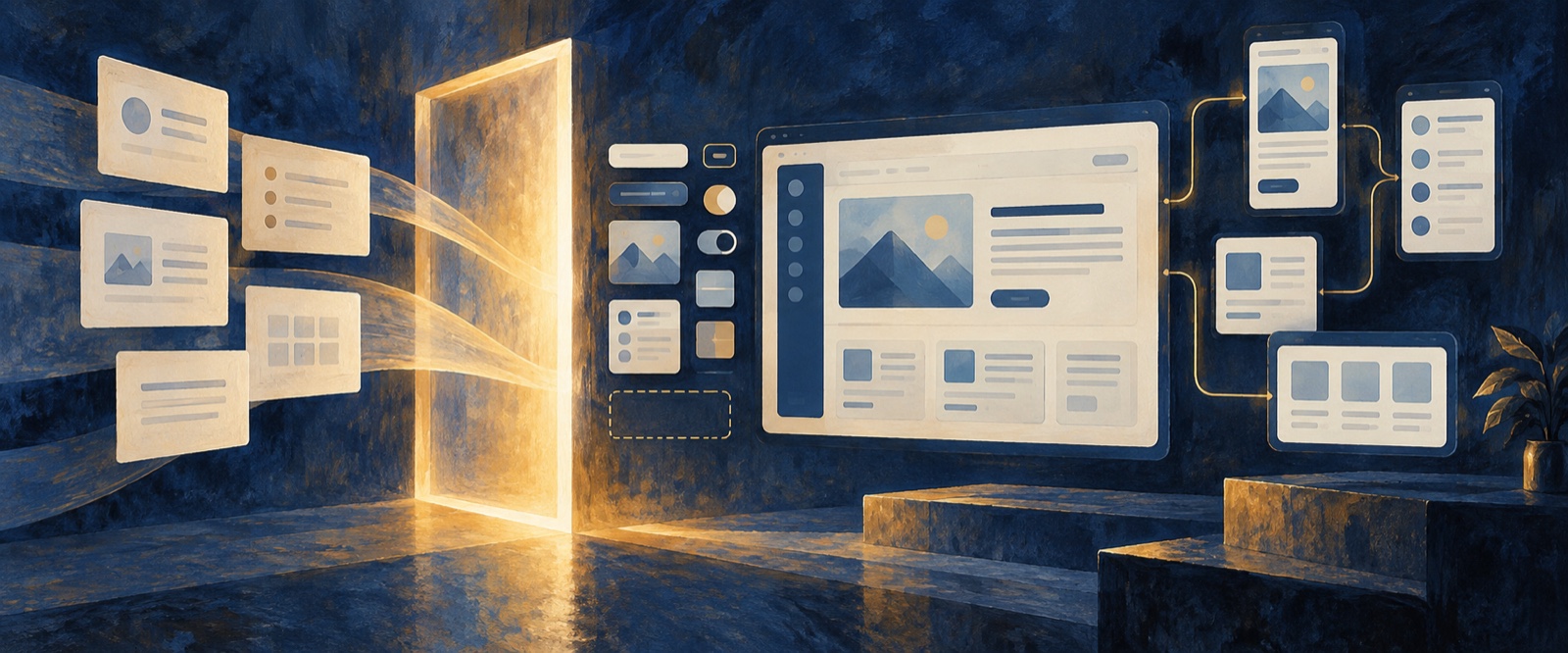
Ask the agent to return more than one static screen. A useful first pass identifies the page goal, information hierarchy, actions, key states, reusable components, and unresolved questions.
The interface system should explain how content and behavior change across states. If a card is selected, a form fails, data is unavailable, or the user lacks permission, the design should show what happens next.
Review states that affect trust and action
Loading, empty, error, success, disabled, and permission states are part of the product experience. They are especially important when they change confidence or the next action.
Review copy as well as layout. Labels, helper text, validation, and status messages often determine whether a generated interface feels usable.
A repeatable prompt-to-UI workflow
- Define the user, job, context, and success condition.
- Describe the required information and actions.
- Ask for hierarchy, states, and components before polish.
- Generate a direction and review it against the product goal.
- Give targeted feedback on copy, structure, interaction, and emphasis.
- Connect the critical states into an interactive prototype.
- Prepare the reviewed result for design-to-code handoff.
Prompt to UI vs. AI prototype generator
Prompt to UI focuses on translating requirements into interface structure and states. An AI prototype generator connects those states into a flow that a team can review or test. The workflows are complementary: create a credible interface system, then prototype the decisions that depend on movement between screens.
Continue with the fictional interactive-prototype walkthrough or prepare an approved direction with Design to Code with AI.
Frequently asked questions about prompt to UI
What is the difference between text to UI and prompt to UI?
Both describe generating an interface from written input. “Prompt to UI” emphasizes the working instruction, while “text to UI” may include broader requirements or source content. In both cases, product context and interface states matter more than visual adjectives.
Can an AI UI generator create editable interfaces?
Some AI UI generators produce editable layouts or code, while others return images. For product work, confirm that the output can be revised, connected into states, tested responsively, and handed off without recreating the design.
What should a UI design prompt avoid?
Avoid vague style-only requests, invented user needs, missing states, and references presented as copying instructions. Do not ask for visual polish before the user task and information hierarchy are clear.
Make the requirement visible before it becomes code
OJO can turn a written requirement into editable interface states on the Canvas, making assumptions, missing content, and flow problems easier to review. This helps product and design teams align on the intended experience before implementation. Open OJO with one real user task and generate a reviewable UI flow.
OJO
Turn your next idea into a working product
Build research-backed UI, landing pages, and interactive prototypes with an OJO Agent Team.